Tuesday, August 2, 2011

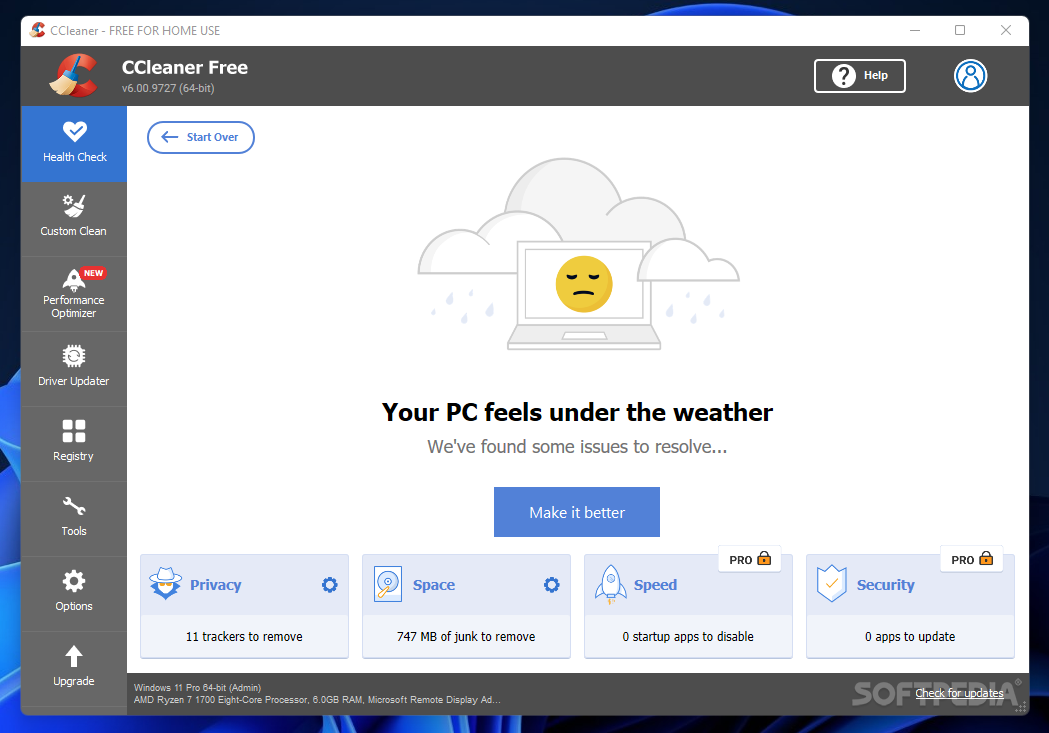
CCleaner 3.09.1493


Download:
Mirror 1
Mirror 2

Description:
CCleaner is a freeware system Optimization tool

CCleaner removes unused and temporary files from your system - allowing it to run faster, more efficiently and giving you more HDD space.

The best part is that it's fast (normally taking less that a second to run) and Free.


Run CCleaner 3.0 and select which windows unwanted files you want to clean that's it.
CCleaner will instantly anaylse your PC's unwanted files and clean up on your permission to boost the performance of your PC to the level you have never seen before.

It cleans up all types of unwanted files in your PC like Temporary files, history, cookies, Autocomplete form history, index.dat, files in Recycle Bin, Recent Documents, Temporary files and Log files that occupy large chuncks of space on your hard disk.

Advanced features also remove unused and old registry entries that slow down your computer. 


Monday, August 1, 2011

How to Download Free Music Online! (EASY)


This tutorial shows you how to download free music, on a site called Dilan Dau. This is virus free and extremely easy.

Website: http://impressivetutorials.com

Video By ImpressiveTutorials

Angry Birds In-game Trailer

Jailbreak iOS 4.3.5


Supports iPhone 4/3GS iPod Touch 4G/3G iPad 1/2  -Redsn0w


4.3.5
!! UPDATED JAILBREAK & Download 4.3.3/4.3.4/4.3.5 !!
http://www.youtube.com/watch?v=97mrG2T8k7U

For Jailbreaking News and more check out
http://www.jailbreaknation.com
Devices Supported:
iPhone 4
iPhone 3Gs
iPad
iPod Touch 4G
iPod Touch 3G

Video By

How To Jailbreak iOS 4.3.5, 4.3.4, 4.3.3 & 5.0 - iPhone 4/3GS, iPod To...


Ok so you can now Jailbreak iOS 4.3.5 Just follow the in-depth video tutorial and this brief written tutorial and you WILL be Jailbroken on iOS 4.3.5 in NO TIME!

UPDATED 4.3.5 JAILBREAK: http://www.youtube.com/watch?v=yrWcPt84fdo

UPDATED 4.3.4 JAILBREAK: http://www.youtube.com/watch?v=-AahVPvZr3E


Steps:

1. Be sure to be an Apple Devloper ( http://developer.apple.com )

2. Also make sure your iTunes is the latest version (run a software update) and then download the latest version of Pwnage Tool: http://www.mediafire.com/?bmo4nrq172c3gax

3. If you aren't an Apple developer and you want to download the 4.3 beta 1 firmware then sign up to be one!

4. Unzip the newest version of Pwnage Tool and place it on your desktop along with the 4.3 beta 1 .ipsw

5. Run Pwnage Tool and check off expert mode at the top and then select iPhone 4

6. Point it at the 4.3 beta 1 firmware and customize the other settings to your liking

7. Build the custom .ipsw

8. Set your device into DFU mode (I go over how in the video)

9. Connect to iTunes and Alt + Left click on restore for Mac users and for PC users (Only if you have the custom .ipsw created by Pwnage Tool) Shift + Left click on restore

10. Browse for the custom .ipsw and select it

**NOTE** if you get an error at the END of your restore and you want to ESCAPE recovery mode then watch this video on Recboot: http://www.youtube.com/watch?v=bMNsANPs5bo


ALSO if you rely on a CARRIER UNLOCK then this WILL upgrade your baseband which results in the loss of your unlock!

Please check out and subscribe to BrettsiPodHelp: http://www.youtube.com/user/BrettsiPodHelp


Video By